Incorp Report: A Comprehensive InDesign Template for Modern Business Documentation
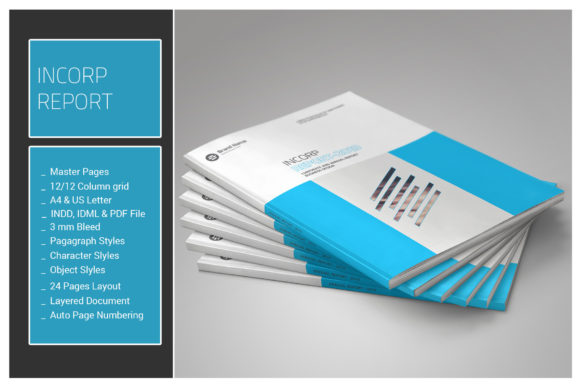
The Incorp Report is a professionally designed 24-page InDesign document tailored for entrepreneurs, marketers, and creative professionals who need to present business data with clarity and visual appeal. Built with efficiency and flexibility in mind, this template supports a wide range of use cases—from investor proposals and financial summaries to internal reports and business plans. Its compatibility with multiple Adobe InDesign versions and inclusion of essential design assets make it a valuable tool in today’s fast-paced, design-conscious business environment.
Why Incorp Report Stands Out in a Crowded Design Market
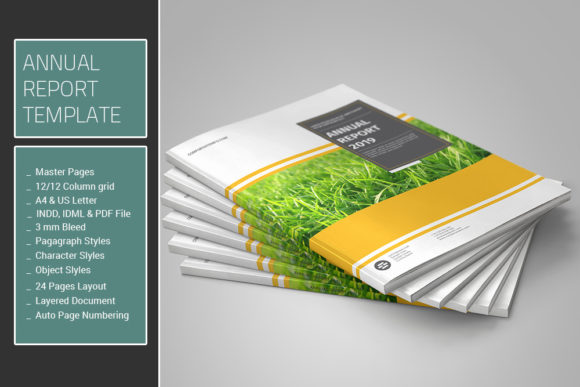
With the increasing demand for polished, professional documentation, users are seeking templates that offer both aesthetic appeal and technical versatility. The Incorp Report delivers on both fronts. It features a clean, grid-based layout aligned to a 12-column system, ensuring consistency and balance across all pages. The use of master pages streamlines repetitive design elements like headers, footers, and page numbers, allowing users to focus more on content than formatting.
What truly sets this template apart is its comprehensive design system. It includes pre-configured paragraph styles, character styles, and object styles, which enable quick and consistent text and layout adjustments throughout the document. This level of control is especially useful for users who may not be design experts but still need to produce visually cohesive reports efficiently.
Design Flexibility Meets Practicality
One of the most practical features of the Incorp Report is its use of color swatches for global color editing. This allows users to modify the entire document’s color scheme in just a few clicks, making it easy to align with brand guidelines or seasonal themes. The inclusion of vector infographics icons further enhances its adaptability, enabling users to visually represent data without relying on external image files.
Additionally, the template supports both A4 and US Letter sizes, making it suitable for international audiences. Whether you're creating a financial summary for a U.S. client or a market analysis for stakeholders in Europe, the Incorp Report adapts seamlessly to different regional standards.
Supporting Modern Workflows and Collaboration
In today’s collaborative work environments, file compatibility and ease of handoff are crucial. The Incorp Report addresses this need by including .IDML, .INDD, and PDF files in the download package. This ensures that users working with different versions of Adobe InDesign—from CS4 to CC—can open and edit the document without compatibility issues. It’s especially beneficial for teams where not everyone is using the latest software version.
The inclusion of a help file with a font link also simplifies the process of setting up the document. Since the template uses only free fonts, it removes the barrier of licensing costs while still maintaining a professional typographic foundation. This makes the Incorp Report accessible to freelancers, small businesses, and educators who may have limited design budgets.
From Finance to Strategy: Real-World Applications
The Incorp Report isn’t just a visually appealing template—it’s a functional tool for presenting complex data in an organized and digestible format. One of its standout features is the inclusion of tables for financial data, including a quote balance sheet. This makes it ideal for startups preparing investor decks, accountants summarizing quarterly reports, or consultants delivering strategic analyses.
For example, a small business owner preparing a pitch to potential investors can use the Incorp Report to structure their financial projections, market research, and operational plans in a single, cohesive document. The use of consistent styles and layout grids ensures that even non-designers can create a polished, professional report that reflects well on their brand.
Evolving Design Needs in the Digital Age
The rise of remote work and digital collaboration has increased the need for well-structured, easily editable templates. As businesses shift toward more digital-first communication, the ability to generate professional reports quickly and efficiently has become a competitive advantage. The Incorp Report fits perfectly into this evolving landscape by offering a balance between design sophistication and user accessibility.
Moreover, as more professionals work across platforms and software versions, templates like the Incorp Report provide a stable foundation that minimizes technical friction. This is especially relevant for freelancers and remote teams who often need to share and edit files across different systems and environments.
Practical Design Tips for Getting the Most Out of Incorp Report
- Customize color schemes using swatches to align with your brand identity without manually editing each element.
- Use the 12-column grid to maintain alignment and visual hierarchy, especially when working with tables or infographics.
- Leverage master pages for consistent headers, footers, and page navigation across all 24 pages.
- Utilize the IDML file if you're working with older versions of InDesign to ensure full compatibility.
- Refer to the help file for font installation instructions to maintain typographic consistency across devices.
Conclusion: A Template That Works as Hard as You Do
In an era where time is a premium and first impressions matter, the Incorp Report offers a smart, efficient solution for creating professional business documents. Its thoughtful design, compatibility features, and structured layout system make it a go-to resource for entrepreneurs, marketers, and designers alike. Whether you're crafting a financial statement, a strategic overview, or a market analysis, the Incorp Report empowers you to focus on the message—while the design takes care of itself.